How to Set a Reference for Verification Photos
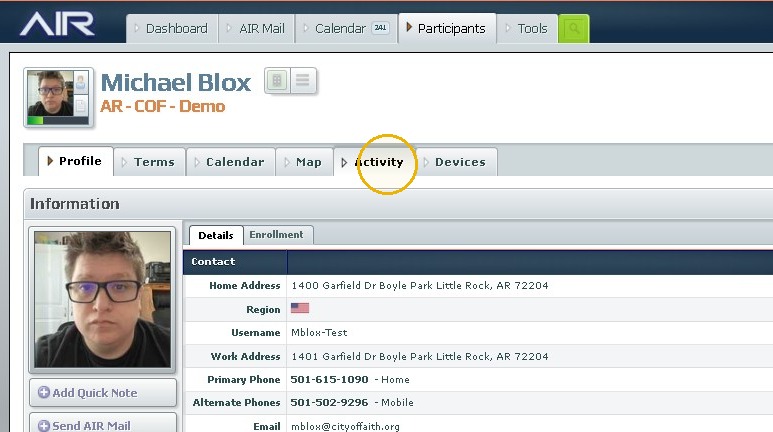
1. Navigate to The Users Summary Page
2. Click "Activity"
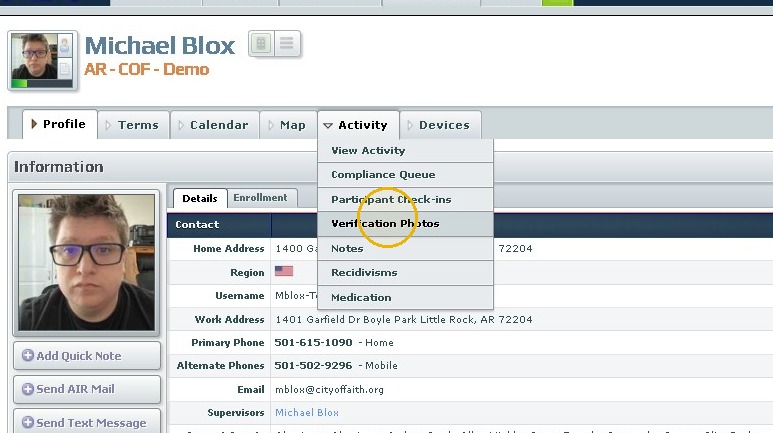
3. Click "Verification Photos"
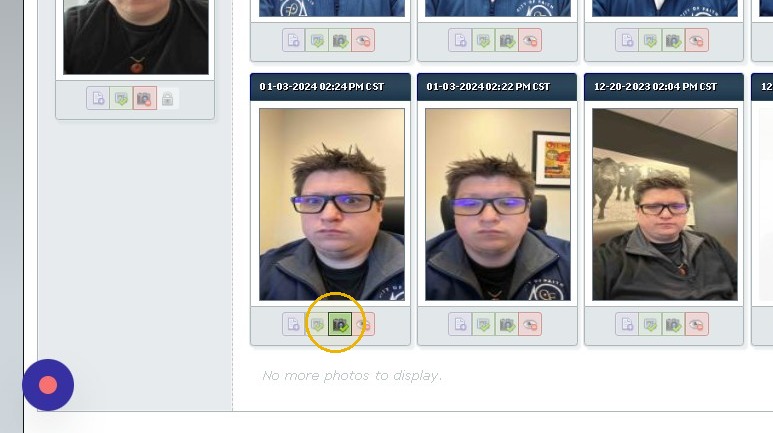
4. Click "Set Reference" Camera icon with a green Checkmark
Was this article helpful?
That’s Great!
Thank you for your feedback
Sorry! We couldn't be helpful
Thank you for your feedback
Feedback sent
We appreciate your effort and will try to fix the article